Prepare one page per item
Put the finished tickets or forms into their required sequence. If the job is personalized, complete the data merge before bringing the PDF into this workflow.
Arrange tickets, numbered forms and cards so each cut pile holds a consecutive range. Plan the sheet positions in PDFImpose, then verify the sequence with a small cut proof.
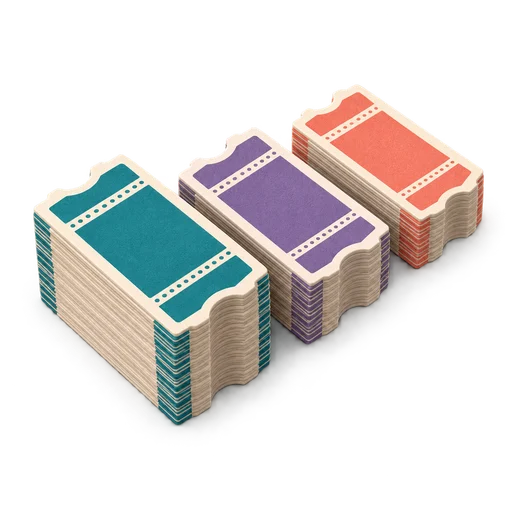 A little planning.
3 sheets · 4 stacks after cutting
Cut-and-stack imposition distributes source pages across sheet positions so that cutting the printed stack creates consecutive piles. Gather those piles in the planned order to recover the original sequence. Sheet order, the output tray's face direction and the gathering order all matter.
Understand the layout, check the details, then take your file into PDFImpose.
Put the finished tickets or forms into their required sequence. If the job is personalized, complete the data merge before bringing the PDF into this workflow.
Choose cut-and-stack in PDFImpose. Set sheet size, rows, columns, scale, margins and cutting gaps to match the finished item.
Print a short numbered test, keep the sheet stack in order, cut corresponding positions, and gather the piles in sequence.
Know which pile contains the first range and which follows it before the operator reaches the cutter.
Know which pile contains the first range and which follows it before the operator reaches the cutter.
Consecutive ranges are assigned down each position, reducing the need to sort individual pieces after the cuts.
Compare the first and last number in each pile with the source count. Gaps and duplicates are easier to spot at range boundaries.
A simple single-sided example with four cut positions, A through D. Preserve sheet order from 1 to 3 in each pile.
WORKED EXAMPLE| Printed sheet | A | B | C | D |
|---|---|---|---|---|
| 1 | 1 | 4 | 7 | 10 |
| 2 | 2 | 5 | 8 | 11 |
| 3 | 3 | 6 | 9 | 12 |
After cutting: A = 1–3, B = 4–6, C = 7–9, D = 10–12. Gather A, B, C, D to make 1–12. This is a teaching map; verify the app's actual pile direction and your printer's delivery order.
Work through the essentials for this workflow.
Your checklist stays on this page.
0 of 6 checks complete
Set up cut & stackHow to calculate block size, sheet count and pile boundaries for a cut and stack job, including what to do when the page count does not divide evenly.
Read the guide FIELD NOTE / 02See exactly how cut and stack imposition puts sequential page blocks in each sheet position, worked through a 400-ticket example.
Read the guide FIELD NOTE / 03Compare cut and stack sequential imposition against collated N-up layouts, with a job-by-job table for tickets, NCR forms, flashcards, and invoices.
Read the guideThe practical details, explained plainly.
A reading-order N-up sheet might show 1, 2, 3, 4 together. Cut-and-stack spaces the sequence across sheets so one cut position becomes a consecutive pile. The right choice depends on how the pieces will be gathered.
It creates the planned piles. You still need to gather those piles in the correct order and preserve their face direction. Use a marked proof to establish the physical handling sequence.
The layout needs unused positions or a shorter final range. For 13 single-sided items at 4-up, at least 4 sheets are needed and 3 positions are unused. Inspect where the blanks land before cutting.
Yes, with an appropriate duplex layout and correct front/back pairing. A simplex formula is not enough: verify which reverse belongs behind each ticket and test the printer's flip direction.
Use batches that suit the cutter and stock. Each batch needs its own clear page ranges and gathering plan. Do not exceed the cutter's specified stack capacity.
For the underlying print and PDF concepts:
Prepare an already numbered PDF for cutting into consecutive piles. Generate variable records before imposition.
Print a short numbered test, cut it, and gather the piles in the intended order. Check partial batches and cutter capacity.
Plan the cut-and-stack blocks →
Google sign-in is required. The free plan includes five lifetime exports, with eight hours between free exports. Pro is US$14.99/month or US$149.99/year, excluding tax.
View current PDFImpose plans →
This is a product-operated field guide in the PDFImpose network. Confirm the exported result and current terms before paying.
Build your cut-and-stack PDF, inspect the ranges, and take a clear plan to the finishing table.
Set up cut & stack